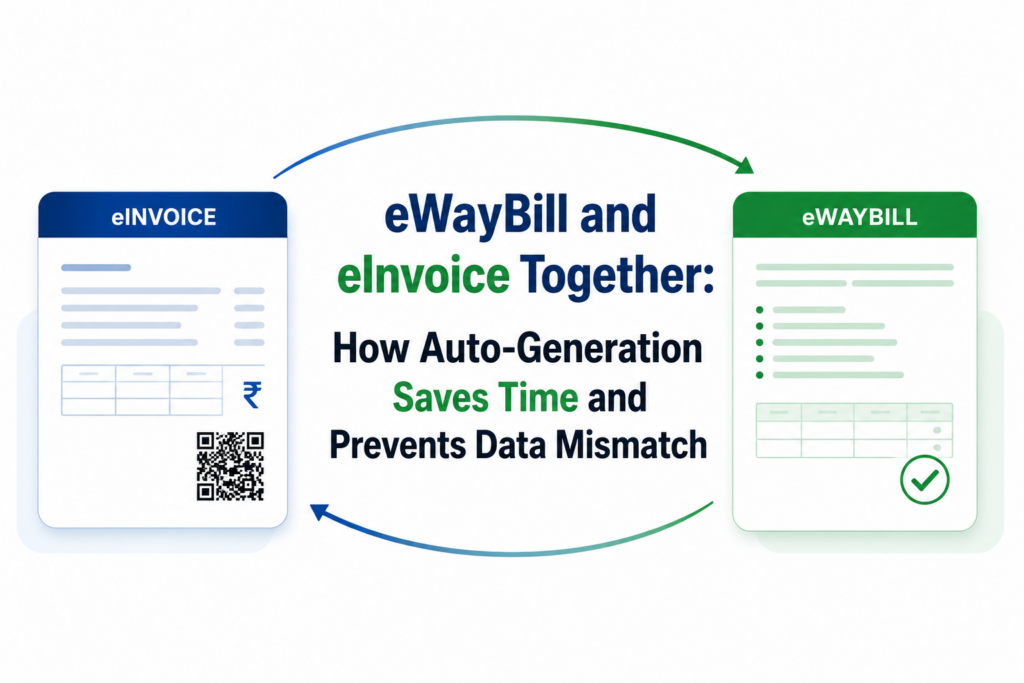
For most GST-registered businesses in India, eInvoice and eWayBill are no longer two separate compliance tasks. They are two parts of one connected process. When a business generates an eInvoice, the same invoice data can automatically flow into the eWayBill system, without anyone retyping a single field.
This one change, auto-generation, is what separates businesses that file returns smoothly every month from those that spend hours reconciling mismatched data.
In this blog, we explain how eInvoice and eWayBill work together, why manual generation still causes errors, and how automation through API-based integration fixes the problem for good.
What is an eInvoice?
An eInvoice is not a new invoice format. It is your regular sales invoice, reported to the government’s Invoice Registration Portal (IRP) for validation. Once the IRP validates the invoice, it returns three things:
- A unique Invoice Reference Number (IRN)
- A digital signature
- A QR code containing key invoice details
Only an invoice carrying a valid IRN is treated as a legally recognized eInvoice under GST. As of now, eInvoicing is mandatory for businesses with an Annual Aggregate Turnover (AATO) of Rs 5 crore or more, and it applies to invoices, credit notes, and debit notes issued for B2B supplies, exports, and supplies to SEZs.
There is also a reporting deadline to keep in mind. Since 1st April 2025, businesses with an AATO of Rs 10 crore or more cannot report an invoice to the IRP if it is older than 30 days from the invoice date.
The portal will simply reject it, which means the business has to cancel the original document and raise it afresh. An eWayBill is a separate document required whenever goods worth more than Rs 50,000 are transported, whether by road, rail, air, or vessel. It has two parts: The eWayBill’s validity depends on distance. Under the current rule, it is valid for one day for every 200 km traveled (or one day for every 20 km for Over Dimensional Cargo), and the countdown starts only once Part B is filled in. There are two more time limits businesses should be aware of. From 1st January 2025, an eWayBill can only be generated for a document dated within the last 180 days, and any extension of validity is capped at 360 days from the original date of generation. Both rules apply strictly, so timely generation genuinely matters. This is where the real efficiency comes in. When an eInvoice is reported to the IRP, the invoice data isn’t only validated and signed. The IRP also shares it with the GST return system (for GSTR-1) and, where required, with the eWayBill system, so that Part A of the eWayBill gets created automatically from the same invoice data. In practice, this means: This is the foundation of what most tax professionals mean when they talk about eInvoice services that go beyond simple IRN generation, connecting invoicing, GST returns, and logistics documentation into one continuous flow. Many businesses that haven’t automated this process still generate their eInvoice on one screen and their eWayBill on another, often re-entering details by hand. A few common problems show up repeatedly: None of these are compliance failures in the traditional sense. They are process failures, caused by moving data between systems by hand instead of connecting the systems directly. Auto-generation works by connecting your existing billing, accounting, or ERP software directly to the IRP and the eWayBill portal through APIs, rather than through the portals’ web interfaces. This is usually achieved through eWayBill API integration combined with an IRN Generation API built into the same software. Once this integration is in place: The result is a genuine reduction in manual work, along with a much lower chance of the invoice-level and eWayBill-level data ever drifting apart. TaxPro is a GST Suvidha Provider (GSP) appointed by the Goods and Services Tax Network (GSTN) and has been part of India’s taxation software industry since 2002. The company works directly with businesses, ASPs, and ERP developers who want to bring eInvoice and eWayBill generation inside their own billing systems and then rely on the government portals for every transaction. For businesses handling a high volume of invoices, or for ASPs building compliance tools for their own clients, this kind of ready-made eWayBill API integration removes much of the groundwork usually needed to connect to government systems directly. eInvoice and eWayBill were designed to work together, not as two separate filings. When a business automates the connection between them, using an IRN generation API and eWayBill API integration built into its own ERP, most of the manual re-entry disappears, and with it most of the data mismatch risk. Given the current 30-day reporting rule for eInvoices and the 180-day generation limit for eWayBills, this kind of automation has moved from being a convenience to something close to a necessity. If your business is still generating these documents separately, it may be worth reviewing how your billing software connects to the IRP and eWayBill portal, and whether that connection can be tightened through proper API integration.
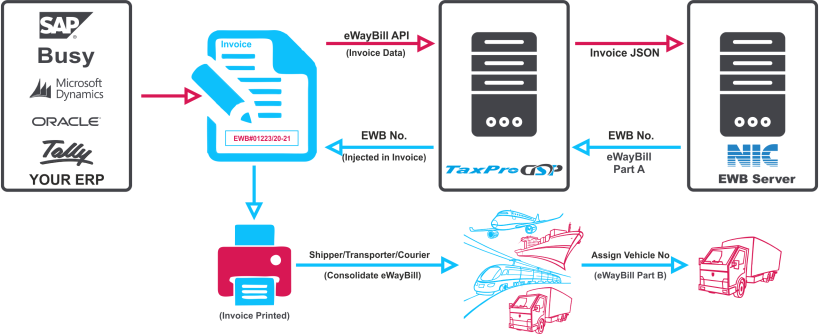
How eInvoice and eWayBill are connected
How Auto-Generation Actually Saves Time
TaxPro: Powering Auto-Generation for eWayBill and eInvoice
Key Highlights of TaxPro’s eWayBill and eInvoice Integration

Conclusion