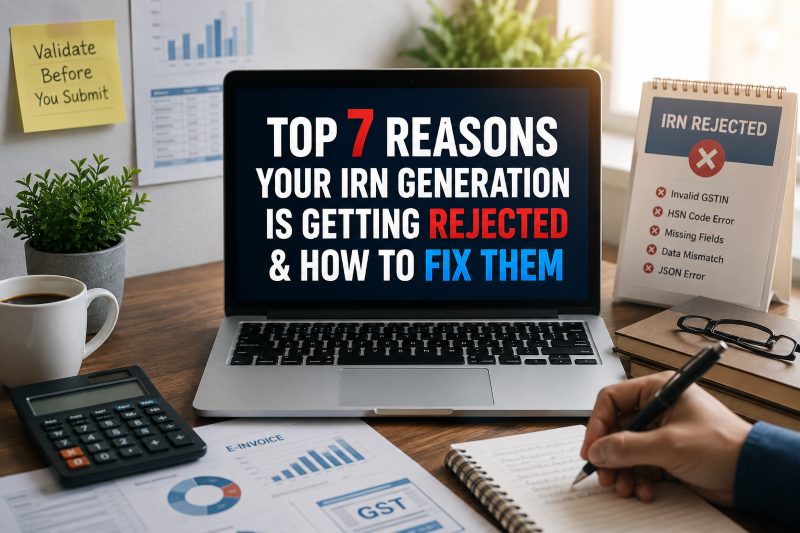
If you are someone who deals with GST invoicing on a regular basis, getting an IRN rejection can be really frustrating. You fill in all the details, hit submit, and then get an error. The whole process stops right there.
The good news? Most IRN rejections happen because of small, fixable mistakes. Once you know what is going wrong, the fix is usually pretty simple.
Let us walk through the top 7 reasons why IRN generation gets rejected and what you can do about it.
What is an IRN?
IRN stands for Invoice Reference Number. When you upload a B2B invoice to the Invoice Registration Portal, the portal checks the data and gives back a unique number. That number, along with a QR code, is what makes your invoice a proper eInvoice under GST.
No IRN means your invoice is not valid. Since August 2023, businesses with a turnover above Rs. 5 crore have to generate eInvoices for every B2B transaction.
Also read: How an IRN Generation API Can Help Businesses Smooth Their Workflow?
Reason 1:The Invoice Number Was Already Used
This one trips up a lot of businesses. The IRP stores every invoice that passes through it. Send the same invoice number twice, and it will reject the second one straightaway.
Fix:Before submitting, confirm that the invoice number is fresh. If your software does not catch duplicates on its own, that needs to change.
Reason 2:GSTIN Is Either Wrong or Not Active
A single wrong digit in the GSTIN or a registration that has been cancelled or suspended will get your invoice rejected. Both the supplier GSTIN and the buyer GSTIN need to be correct.
Fix: Verify the GSTINs before you generate the invoice. TaxPro has a GST Number Verification tool at taxpro.co.in, where you can check the status of any GSTIN before it becomes a problem.
Reason 3:Name or Address Does Not Match GST Records
The supplier name and address on the invoice must be exactly as registered under GST. Not approximately. Exactly. A short form or a small spelling difference is enough for the IRP to push it back.
Fix: Do not type these details from memory. Copy them from the actual GST registration every single time.
Reason 4:HSN Code Is Incorrect
The IRP cross-checks every HSN code against the approved government list. If the code is wrong or outdated, the invoice does not get through.
Fix: Verify your HSN codes before submitting. When you are not sure about a product or service, check the GST HSN master list or speak with your tax consultant.
Reason 5:A Required Field Was Left Out or Filled Wrong
The eInvoice format has a set structure. Certain fields are compulsory. If even one of them is blank or has an incorrect value, the IRP rejects the whole invoice. The fields people most often miss are invoice type, place of supply, and the tax breakdown.
Fix: Working with a good eInvoice Service Provider takes care of this. TaxPro GSP checks your invoice data for errors and missing fields before sending anything to the IRP. Problems get caught on your end before the rejection ever happens.
Reason 6:The JSON File Has an Error
Invoices go to the IRP in JSON format. If the format is not right, the IRP will not read it. Businesses that continue to construct JSON files themselves or have legacy systems encounter this problem frequently.
Solution: TaxPro’s GSP eInvoice API constructs and formats the JSON file automatically. You do not have to do anything with constructing or modifying the JSON file. Simply work from your existing billing system or ERP software and let the API do the work in the background.
Reason 7:Authentication Token Expired
This occurs when the data in the invoice is good, and yet there is an error while the request is being submitted. The error might happen because the authentication token might expire just when submitting to the eInvoice system. The invoice is okay, and still it is rejected!
Solution: TaxPro’s eInvoice API takes care of token management automatically. It checks to see if the token is still valid, and if needed, refreshes it automatically. That means you don’t need to do anything manually on your side.
How TaxPro Can Help You Avoid These Mistakes
TaxPro is India’s No. 1 GST Suvidha Provider and a proven eInvoice Services Provider. TaxPro has offices in major cities like Mumbai, Delhi, Nagpur, and Bangalore.
TaxPro GSP can directly interface with the ERPs like SAP, Tally, Microsoft Dynamics, Oracle, and Busy. Once integrated, businesses can generate, validate, print, and cancel eInvoices in bulk without ever logging into the IRP separately.
Key Features That Prevent IRN Rejections
Data validation before submission, so rejections are caught early
- Live GSTIN verification
- Full JSON handling with no manual work
- Auto token refresh during eInvoice system login
- Bulk operations from within your existing ERP
- A dedicated support team reachable on call
TaxPro GSP is ISO 27001 certified, so your data is handled with proper security at every step.

Final Thoughts
Every rejection on this list is avoidable. The right software setup and a reliable eInvoice Service Provider handle most of these issues before they even reach the IRP.
If your team is still spending time every week going back and forth on rejected invoices, a better setup is worth it. TaxPro GSP has zero onboarding charges and free integration support.
Reach out at taxpro.co.in or call the helpdesk at 0712-663 8888.