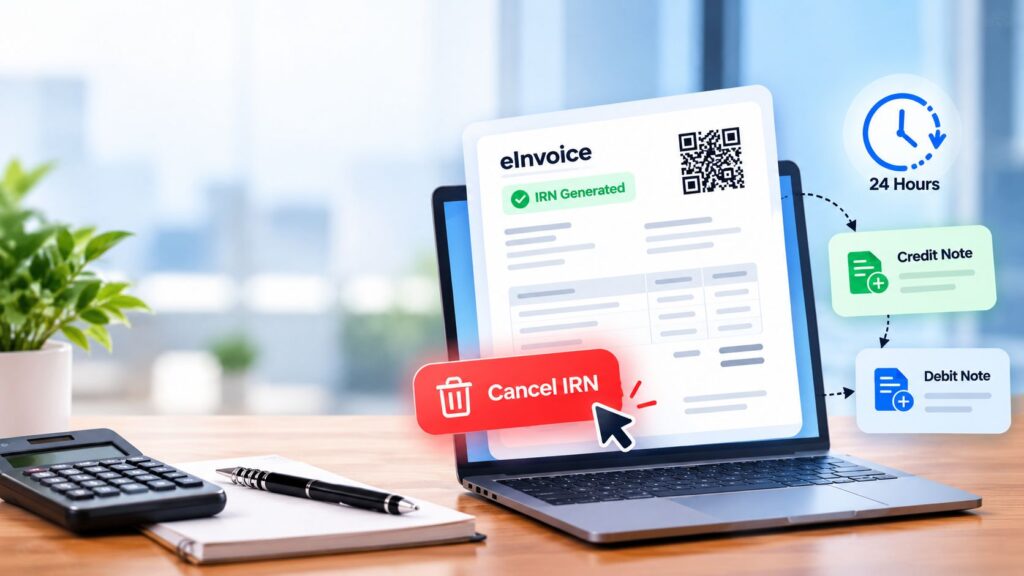
How to Cancel or Amend an eInvoice After IRN Generation (24-Hour Rule, Credit Notes, Next Steps)
Every business that issues eInvoices will hit the same problem sooner or later. The invoice has gone out, the IRN is already generated, and then someone spots a mistake. Maybe the buyer’s GSTIN is wrong. Maybe the same invoice was sent twice.
In a normal billing system, you would just open the invoice and fix it. An eInvoice does not work that way, because the invoice has already been registered with a governmental portal.
This post explains what happens when an invoice receives an IRN, why that makes corrections a bit more careful, and what options and next steps are available. It also shows how TaxPro, a GST Suvidha Provider, handles cancellation through its eInvoice APIs.
Why eInvoice Mistakes Need Extra Care
Under GST rules, a notified registered person prepares an invoice by uploading its specified details to the Invoice Registration Portal (IRP). The IRP returns an Invoice Reference Number (IRN). Only invoices that carry an IRN are considered valid as eInvoices.
That registration does not stay in one place. The IRP passes the invoice details on to other systems:
- It shares the details with the GST system, which updates GSTR-1 for the seller automatically.
- It shares the details with the eWayBill system wherever one is required.
- It digitally signs the invoice and adds a QR code.
- It sends the validated invoice to the seller’s email address.
So one entry in your ERP can end up in several records. A mistake does not stay small for long.
What Is An IRN, And What Does The QR Code Show?
The IRN is the Invoice Reference Number. The IRP assigns one to each invoice, credit note, and debit note that is uploaded to it. Before assigning it, the portal also runs a duplication check by comparing the invoice against information it already holds.
The QR code added by the IRP carries these details:
- GSTIN of the supplier
- GSTIN of the recipient
- Invoice number
- Invoice date
- Invoice value
- Number of line items
- HSN code of the main item (the line item with the highest taxable value)
- The unique IRN
If any of these details are wrong, the QR code on your invoice carries the wrong detail too. That is why you cannot treat an IRN invoice like a draft.
Which Documents Are Covered?
People often say “eInvoice” for everything, but the covered documents are:
- Invoices
- Credit notes
- Debit notes
They count when a notified class of persons or organizations issues them to a registered person (B2B) or for exports. Credit notes and debit notes are named separately, but the system is simply called eInvoicing for ease of reference.
The supplies currently covered include B2B supplies, supplies to SEZs (with or without payment), exports (with or without payment), and deemed exports.
How Do You Cancel an eInvoice After the IRN Is Generated?
TaxPro offers a Cancel IRN function as part of its eInvoice APIs. It sits in the group of Post APIs, next to Authenticate and Generate IRN. The Get APIs are separate: Get eInvoice by IRN, Get GSTIN Details, and System Check.
Once TaxPro’s eInvoice APIs are integrated with your accounting, billing, or ERP software, you can:
- Generate eInvoices
- Edit and preview them
- Validate and print them
- Create IRN and QR codes
- Cancel eInvoices
All of this can be done inside the software you already use, without visiting the IRP. These operations can also be done in bulk. That matters if a wrong batch of invoices went out and you do not want to handle them one by one.
Why The ERP Route Helps
TaxPro’s GSP acts as a link between the IRP and your ERP. Any action you take in the ERP is updated to the IRP directly, so there is no need to update it by hand. The service also removes the need for JSON files and repeated visits to the IRP.
There is one more detail worth knowing. TaxPro’s APIs handle JSON invoice data encryption, decryption, digital signing, and invoice verification. Your team does not need to build those parts.
Where Credit Notes And Debit Notes Fit In
Credit notes and debit notes are covered documents. That means they follow the same path as an invoice. They are prepared in your own system, reported to the IRP, and assigned their own IRN.
So when you use one of them to adjust a sale, you are not working outside the eInvoice system. You are adding another registered document to it. Keep this in mind when you plan your correction, because the new document needs the same care as the original.
What To Do After You Cancel or Correct an eInvoice
Cancelling or correcting the invoice is only half the job. These follow-up checks help you close it properly.
- Check GSTR-1: Since the IRP updates GSTR-1 automatically, make sure the seller’s return reflects the change. TaxPro’s eInvoicing solution includes eInvoice and GSTR-1 reconciliation.
- Look at the eWayBill: The IRP shares invoice details with the eWayBill system where required, so confirm that any linked eWayBill matches your corrected position.
- Pull the record by IRN: The Get eInvoice by IRN function lets you retrieve the eInvoice details you need.
- Update your books: Invoices can be auto-accounted directly into the ERP, so your accounting stays in step.
- Watch for alerts: The TaxPro eInvoicing solution includes real-time alerts for eInvoice updates.
FAQs (Frequently Asked Questions)
- Can I cancel an eInvoice from my ERP?
Yes, after integration, you can cancel eInvoices inside your existing accounting, billing, or ERP software without visiting the IRP.
- Can I cancel eInvoices in bulk?
Yes, bulk operations, including cancellation, are available within your existing software once integrated.
- Are credit notes and debit notes part of eInvoicing?
Yes, they are covered along with invoices, and the IRP assigns an IRN to each of them.
- Which ERPs does TaxPro connect with?
TaxPro integrates with SAP, Microsoft Dynamics, Tally, Busy, and Oracle, and with any other ERP or software.
- Who has to follow eInvoicing?
eInvoicing is mandatory for registered persons whose aggregate turnover is above the prescribed limit. For businesses with an annual turnover above 5 crores (w.e.f. August 2023), all B2B invoices must be uploaded to the portal.
How TaxPro helps with eInvoice operations
TaxPro, run by Chartered Information Systems Pvt. Ltd., is a GST Suvidha Provider. For eInvoicing, it offers:
- Free Java library, .NET Core, and .NET DLLs
- Free integration support
- No onboarding charges
- Source code of integration projects available for download
- A dedicated support team for eInvoice queries
- White-labelled panels for ASPs who manage resellers and clients
The company is also ISO 27001 certified.
An eInvoice is registered with the IRP, signed, given a QR code, and shared with the GST and eWayBill systems. That is why a mistake after IRN generation needs a planned fix rather than a quick edit.
The main points to remember:
- The IRP assigns an IRN to every invoice, credit note, and debit note.
- Cancel IRN is a standard eInvoice API function that TaxPro supports.
- With TaxPro integration, you can cancel eInvoices, singly or in bulk, from inside your own ERP.
- Credit notes and debit notes are covered documents and get their own IRN.
- After any fix, check GSTR-1, any linked e-Way Bill, and your own books.
If your team wants to handle cancellations and corrections from within your ERP, speak to the TaxPro team about an Invoice API demo or integration support.